
Why 85% of Companies Choose Third-Party Calling for Microsoft Teams
Complete guide to understanding your
options for adding enterprise calling to Teams
Why 85% of Companies Choose Third-Party Calling for Microsoft Teams
Complete guide to understanding your options for adding enterprise calling to Teams
The Microsoft Teams Calling Challenge: What Every IT Leader Should Know
These days, every team needs a convenient hub for collaboration and communication. The right software makes it easy for team members to stay connected, even when working remotely or from different campuses. One of the preeminent options for workplace communication is Microsoft Teams, a robust software suite that provides every employee with chat, videoconferencing, and other easy-to-use communication tools.
The Microsoft Teams Calling Challenge: What Every IT Leader Should Know
These days, every team needs a convenient hub for collaboration and communication. The right software makes it easy for team members to stay connected, even when working remotely or from different campuses. One of the preeminent options for workplace communication is Microsoft Teams, a robust software suite that provides every employee with chat, videoconferencing, and other easy-to-use communication tools.
MS Teams at a Glance
While Teams has long been a popular option for workplace communication, its popularity has risen considerably over the past couple of years. Actually, that may be an understatement: adoption of Teams has increased from about 20 million users in 2019 to 320 million at the end of 2024.
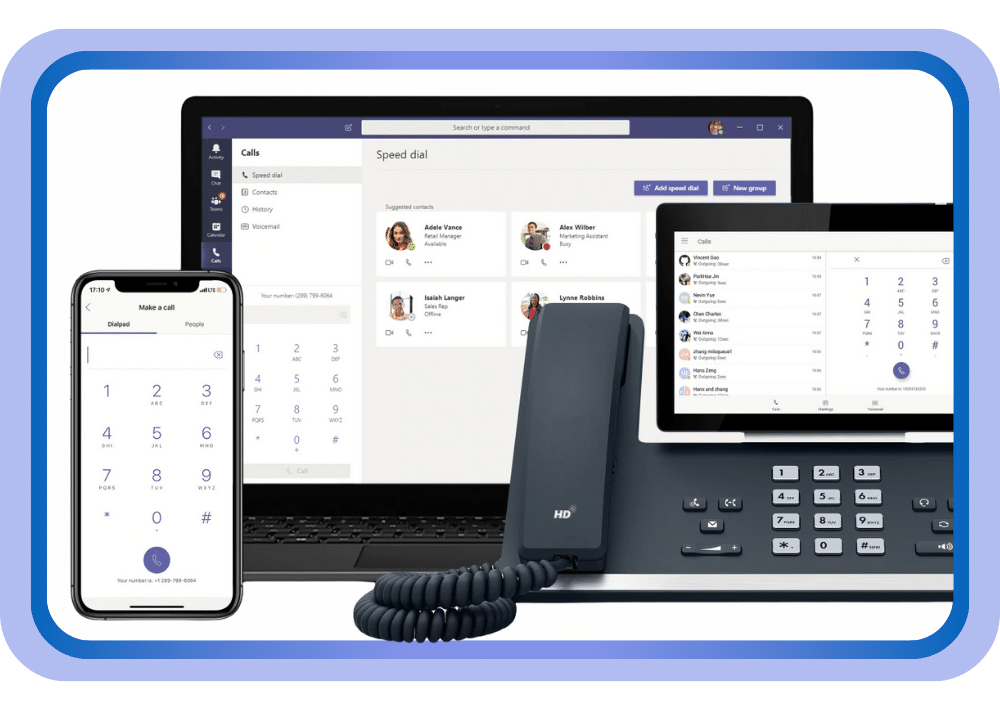
Teams is popular due to its range of features, including team messaging and video conferencing, but it’s also important to note what isn’t included. Teams doesn’t offer telephony, at least not when you implement it on its own. (A separate Microsoft phones license may be added on to your Teams application.) So, if you want your Teams to allow telephone calls outside of the organization, you’ll need additional solutions.
MS Teams
at a Glance
While Teams has long been a popular option for workplace communication, its popularity has risen considerably over the past couple of years. Actually, that may be an understatement: adoption of Teams has increased from about 20 million users in 2019 to 320 million at the end of 2024.
Teams is popular due to its range of features, including team messaging and video conferencing, but it’s also important to note what isn’t included. Teams doesn’t offer telephony, at least not when you implement it on its own. (A separate Microsoft phones license may be added on to your Teams application.) So, if you want your Teams to allow telephone calls outside of the organization, you’ll need additional solutions.
Your Complete Guide to Microsoft Teams Calling Options
Getting Teams on its own will not allow you telephony features, and even adding on the Microsoft phones
license may mean very limited enterprise phone functionality. Ready to discuss which option fits your needs?
or continue reading to learn more about what to look for in a provider.
Your Complete Guide to Microsoft Teams Calling Options
Calling Plans
Getting Teams on its own will not allow you telephony features, and even adding on the Microsoft phones
license may mean very limited enterprise phone functionality. Ready to discuss which option fits your needs?
or continue reading to learn more about what to look for in a provider.
Understanding Third-Party
Operator Connect Solutions
When evaluating Microsoft Certified Resellers for your Teams calling needs, look for providers that can offer everything you love about Teams, along with full-featured call center and enterprise telephony capabilities.
Enhanced telephony features to evaluate:
Flexible Pricing Options
without hidden fees
Hardware Flexibility
keep your current phones or upgrade to advanced options
BYOD Policy Integration
Leverage out-of-the-box integrations with hundreds of common platforms, plus a seamless calling experience in Microsoft Teams.
Expert Customer Service
and dedicated support
User-Friendly Functionality
that pairs comprehensive phone capabilities with intuitive interfaces
Additional Features
including SMS, paging, faxing, and auto-attendant capabilities

Enhanced telephony features to evaluate:
Flexible Pricing Options
without hidden fees
Hardware Flexibility
keep your current phones or upgrade to advanced options
BYOD Policy Integration
Leverage out-of-the-box integrations with hundreds of common platforms, plus a seamless calling experience in Microsoft Teams.
Expert Customer Service
and dedicated support
User-Friendly Functionality
that pairs comprehensive phone capabilities with intuitive interfaces
Additional Features
including SMS, paging, faxing, and auto-attendant capabilities