What Is the Best Phone System for a Modern Law Firm?

What Is the Best Phone System for a Modern Law Firm?
How to choose a phone system that helps clients reach your firm, keeps attorneys connected anywhere, and stops new business from slipping into voicemail.
A law firm’s phone system should do more than answer calls. It should get prospective clients to the right person quickly, keep attorneys reachable when they are away from the office, and give the firm a way to catch the calls it would otherwise lose.
For most modern law firms, the best fit is a cloud-based business phone system that combines calling with intelligent routing, mobile access, messaging, integrations, reporting, and flexible after-hours call handling.
Choosing one, though, is less about finding the longest feature list than about answering a single question:
Does your phone system make it easier for clients to reach your firm, and easier for your team to serve them?
Choosing a Law Firm Phone System Is Different
Calls to a law firm are rarely just calls.
It could be a potential client looking for representation after an accident. It might be an existing client calling about a deadline. It could be opposing counsel, a court, an expert witness, a referral source, or someone dealing with an urgent situation. How that call gets handled shapes the caller’s first impression of the firm, often before anyone has read a single page of the file.
Let’s look at a common scenario.
A prospective client searches for an attorney, finds three firms, and starts calling. The first firm sends the caller through a confusing automated menu. The second goes to voicemail. The third answers quickly, figures out why the person is calling, and connects them with the intake team.
All three firms may have excellent attorneys. Only one made it easy to become a client.
That is why communications technology should not be treated as an IT decision alone. For most firms it is also part of client acquisition, client service, and daily operations. A cloud business phone system lets a firm build deliberate call flows for intake, practice areas, billing, individual attorneys, and multiple offices, while giving staff the same business identity on every device.
Is the phone system really part of client acquisition? For most firms, yes. The phone is still where the first real conversation with a prospective client happens, and routing, answer speed, and after-hours coverage decide whether that conversation happens at all.
What Is the Best Phone System for a Law Firm?
There is no single phone system that is best for every legal practice.
A solo attorney may care most about simplicity and mobility. A personal injury firm handling a lot of new-client calls will care more about intake, queues, and after-hours coverage. A multi-office firm may need centralized administration, better reporting, and integrations across locations.
The strongest law firm phone systems do have a lot in common, though. Most of them provide:
- Reliable cloud calling, with a plan for what happens if a site or circuit goes down
- Intelligent call routing that can send new clients, existing clients, and billing calls down different paths
- Mobile and desktop access, so attorneys can work from court or home using the firm’s number
- Business texting for confirmations, reminders, and quick status updates
- Centralized voicemail, ideally with transcription, so messages are searchable between hearings
- Multi-office capability with one administrative view
- Reporting on call volume, answer rate, abandoned calls, and hold time
- Integrations with case management, CRM, Microsoft 365, and scheduling tools
- Encryption, user authentication, role-based permissions, and controlled handling of recordings
- A defined destination for every call that arrives after hours
- Administration simple enough that a firm administrator can make changes without opening a ticket
- Room to add users, practice areas, and offices without replacing the platform
OneCloud’s legal communications solutions were built with those requirements in mind. The platform is SOC 2 certified, keeps data encrypted, runs on compliance-ready infrastructure, and connects with more than 40 legal and productivity platforms through open APIs, those including, but not limited to, Clio (via Zapier), Microsoft Outlook, Microsoft Teams, Salesforce, HubSpot, and Zendesk.
Here is what the most important of those capabilities actually mean in a legal environment.
Which Phone System Features Matter Most for Law Firms?
Intelligent Call Routing and Client Intake
A prospective client should not need to understand a firm’s organizational chart to reach the right person. Call queues, auto attendants, answering rules, and time-of-day routing can send callers to intake, a specific practice area, billing, or an after-hours workflow.
OneCloud Business Phone System supports IVR, call queues, answering rules, shared-number distribution, voicemail management, and call analytics. A firm can build the call path around how its intake actually works, instead of pushing every caller through the same generic menu.
In practice it might look like this. New-client calls ring the intake queue first and overflow to a mobile group if nobody picks up. Existing clients route by practice area. Billing sits in its own queue. Anything arriving after six in the evening goes into an after-hours workflow instead of a voicemail box nobody opens until Monday.
Mobility for Attorneys and Staff
Attorneys rarely work from one desk all day. A cloud phone system should let them make and receive business calls from any device without falling back on a personal number.
OneCloud Connect puts calling, chat, video, meetings, voicemail, and file sharing in one app that works across devices, from the courthouse to a home office. Attorneys keep one consistent business identity, and personal cell numbers stay out of client hands.
Security, Document Handling, and Integrations
Law firms should look closely at how a provider protects communications, authenticates users, manages permissions, stores recordings, handles outages, and supports business continuity. It is also worth confirming that the system connects to the tools the firm actually uses, rather than accepting a general promise of “integration.”
For sensitive documents, OneCloud SecureFax offers cloud faxing with encrypted transmission and access controls, which is useful for court filings, contracts, and signed agreements. Firms that already work mostly in Microsoft 365 can look at OneCloud Microsoft Teams Calling, since OneCloud is a certified
Microsoft Operator Connect partner. OneCloud CRM Integrations can connect calling to supported business systems for screen pops, call logging, data syncing, and workflow automation.
Three questions are worth asking any vendor: Where are call recordings stored, and who can pull them? Can permissions be set by role? What happens to inbound calls if the office internet goes down?
Reporting and AI-Assisted Intake
A modern phone system should be able to tell a firm what actually happened to its calls: volume, calls handled, abandoned calls, hold time, speed of answer, queue performance, and activity by department or location.
OneCloud reporting provides queue and agent level visibility, and OneCloud CX adds broader contact center capability for firms with larger intake operations. For routine and after-hours calls, OneCloud AI Agent can answer common questions, capture caller information, route callers by name or topic, send text updates, and help with appointment scheduling.
One boundary matters here. In a legal setting, AI should handle administrative intake: collecting information, routing, scheduling, confirming. It should not give legal advice, evaluate a case, or stand in for professional judgment. Write that limit into the script, and make sure every caller has a clear way to reach a person.
Can AI answer calls for a law firm without creating risk? It can, as long as its scope stays narrow. Keep it on administrative work, publish an escalation path to a human, and review transcripts regularly.
Is a Cloud Phone System Better Than a Traditional System for a Law Firm?
For most growing firms, cloud is the easier answer, because users, locations, routing rules, reporting, and integrations can all be managed in one place.
A traditional on-premises system can still work for a small single-office practice with simple needs. But as soon as a firm adds remote staff, a second location, an intake team, or software integrations, the on-premises model tends to cost more in workarounds than it saves. Adding a user means hardware and licensing. Remote work needs forwarding or VPN workarounds. Reporting is limited or costs extra. Integrations mean custom development. And if the building loses power or connectivity, the calls have nowhere to go.
OneCloud UCaaS is built around the cloud model, bringing voice, messaging, meetings, and file sharing into one environment.
Base the decision on workflow rather than fashion. If the current system makes missed calls, mobile work, multi-office administration, or integrations difficult, that is a concrete reason to look at a cloud platform.
What Fits Your Type of Practice?
Solo attorneys and small firms. Simplicity, mobility, and a professional first impression matter most. Business calling plus OneCloud Connect, a short auto attendant, and voicemail transcription usually covers it. The most common mistake here is building routing so elaborate that nobody keeps it current.
High-volume intake practices. Personal injury, family law, criminal defense, and immigration practices live on new-client calls. Intake queues with overflow rules, mobile answering, after-hours coverage through AI Agent, and real call reporting are the priorities. OneCloud CX makes sense once intake becomes a team rather than one person. Watch answer rate and abandon rate on the intake queue, not total call volume.
Multi-office firms. Central administration, a consistent client experience across locations, and per-office reporting are what matter, along with routing rules that can be maintained in one place.
Microsoft-centric firms. If the firm already lives in Teams, Teams Calling through Operator Connect keeps calling where people already work instead of adding another app to learn and support.
How Can a Law Firm Reduce Missed Calls?
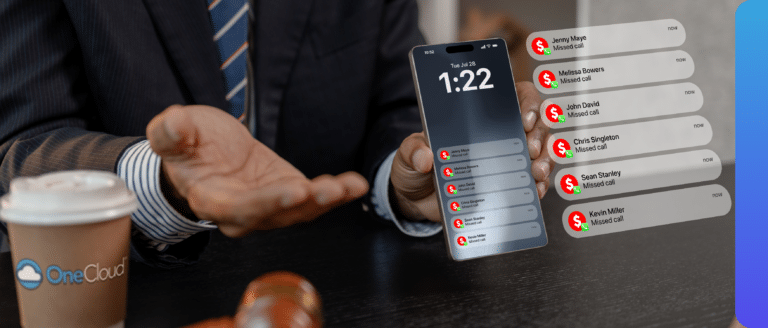
Start by measuring where calls are being lost, then fix the call flow. Adding more voicemail boxes does not bring a prospective client back.
- Pull a month of data on missed calls, abandoned calls, hold time, and after-hours volume, and look for patterns by hour and day.
- Separate new-client calls from everything else. A prospective client and a billing question should not sit in the same queue.
- Add overflow rules so calls roll to a second group or to mobile devices when the queue is busy, instead of dropping into voicemail.
- Decide what happens after hours: an on-call group, an answering workflow, or automated intake that captures details and sets a callback.
- Give every caller a next step. A callback option, a text confirmation, or a booked appointment all beat an open-ended voicemail.
- Use texting to confirm consultations and send reminders. It cuts no-shows and saves staff from chasing people.
- Review the numbers monthly, with someone responsible for them.
How Should a Law Firm Choose the Right Phone System?
Before comparing vendors, map the current call flow and answer a few questions honestly:
- What happens when a new client calls and nobody answers in the first 30 seconds?
- Can new-client calls be routed differently from existing client calls?
- Can attorneys use the firm’s number from a mobile device?
- Which case management, CRM, Microsoft 365, or scheduling systems have to integrate?
- Can administrators see missed calls, abandoned calls, wait times, and volume by hour?
- How are voicemail, recordings, messages, faxes, and permissions protected?
- What happens after hours, or if the primary internet connection fails?
- How quickly can the firm add users, departments, or a new office?
- Who will administer the system day to day, and is the portal simple enough for them?
- What does implementation include: number porting, configuration, training, and support after launch?
The answers should drive the product mix. A smaller practice may only need business calling and OneCloud Connect. A Microsoft-centric firm may start with Teams Calling. A high volume intake practice may add AI Agent or OneCloud CX, and firms still sending time-sensitive documents can include SecureFax. Let the workflow decide the technology, not the other way around.
A Few Mistakes to Avoid
- Buying on feature count instead of intake workflow
- Building an auto attendant around the firm’s org chart rather than the caller’s reason for calling
- Treating “after hours” as another word for voicemail
- Skipping reporting during evaluation, then having no baseline to show improvement later
- Letting attorneys use personal cell numbers for client contact
- Putting off continuity planning until the first outage
- Turning on AI without a defined scope, a script, and a path to a human
Frequently Asked Questions
What is the best phone system for a law firm?
For most modern firms, a cloud-based business phone system is the strongest fit, because it combines calling, intelligent routing, mobile access, integrations, reporting, and multi-office administration in one platform. OneCloud Business Phone System is built around those capabilities. The right configuration still depends on firm size, call volume, security requirements, and how intake works.
Is VoIP good for law firms?
Yes. VoIP supports internet-based calling, remote work, mobile access, intelligent routing, multiple locations, and software integrations, all of which are useful in a legal practice. Firms should still look at network quality and bandwidth, security controls, implementation support, and continuity planning, since call quality depends on the network as much as on the platform.
How much does a law firm phone system cost?
Cloud phone systems are usually priced per user per month, so cost scales with headcount and feature tier. What moves the price is user count, whether contact-center or AI capabilities are needed, desk phone hardware, fax volume, integration requirements, and implementation support. Ask any provider for a quote that separates recurring per-user cost from one-time setup.
Can an AI receptionist answer calls for a law firm?
Yes, for structured administrative tasks. OneCloud AI Agent can answer routine questions, capture caller information, route calls by name or topic, send text updates, and help with appointment scheduling, including after hours. Legal advice, case evaluation, and attorney-client judgment should stay with qualified people, and every caller should have a clear route to a human.
Can attorneys use their office number on a mobile device?
Yes. A cloud platform extends the firm’s business identity beyond the desk phone. OneCloud Connect gives attorneys calling, messaging, and collaboration on supported devices, so they stay reachable from court or home while personal mobile numbers stay private and client contact stays in firm-owned systems.
How can a law firm reduce missed calls?
Start with queue and call-volume data, then fix the flow: separate intake from general calls, add overflow and escalation rules, enable mobile answering, define after-hours coverage, and automate repetitive intake questions. The goal is to give every caller a clear next step instead of routing more calls into voicemail.
Is a cloud phone system secure enough for confidential client communications?
It can be, when the provider’s controls match the firm’s obligations. Look for encrypted transmission, strong user authentication, role-based permissions, controlled storage and retrieval of recordings, and a documented continuity plan. OneCloud’s legal platform is SOC 2 certified, with encrypted data and compliance-ready infrastructure. The duty of confidentiality still rests with the firm.
Does a law firm phone system integrate with case management software?
Often, yes, through prebuilt connectors or open APIs. OneCloud connects with more than 40 legal and productivity platforms via open APIs, and CRM Integrations can support screen pops, call logging, data syncing, and workflow automation. Confirm your specific case management, e-signature, and scheduling tools before signing anything.
Can a firm keep its existing phone numbers?
Generally yes. Existing numbers are ported to the new provider, and porting is usually the step that sets the project timeline. Keep the old service active until porting completes, and confirm who manages the port, what documentation is required, and how the cutover will be tested.
What should a firm ask about after-hours calls and outages?
Ask what happens to a call at nine in the evening, and what happens if the office internet fails. A good answer includes a defined after-hours workflow, rerouting to mobile devices or another location, and a continuity plan the provider can describe specifically rather than in general terms.
The Bottom Line
The best law firm phone system is not the one with the longest feature list. It is the one that makes the firm easy to reach, keeps attorneys connected wherever they are working, protects confidential communications, and gives leadership enough visibility to keep improving as the practice grows.
Start with the client journey: first ring, intake, attorney handoff, follow-up, after-hours coverage. Then match technology to the gaps. OneCloud’s legal communications portfolio brings together business calling, OneCloud Connect, AI Agent, SecureFax, Microsoft Teams Calling, CRM integrations, reporting, and contact-center capability based on what a firm actually needs.
Related Stories
How Can Law Firms Stop Missing Calls From Potential New Clients?
Why most missed calls are a call-flow problem, not a staffing problem, and how to fix intake routing, overflow, and after-hours coverage so new clients reach a person. A law firm stops missing new-client calls by treating its phone system as an intake system instead of a switchboard. That means giving new-client calls their own…
Preventing “Spam Likely” Labels on Your Business Calls
Have you ever called a customer and noticed your number showing up as “Spam Likely” on their phone? You’re not alone—and it’s not always a sign of wrongdoing. Even legitimate businesses can be mislabeled, which can dramatically reduce answer rates and impact customer trust. Why this is happening The way phone calls are verified and…
OneCloud Wins UGM Codefest’s 2025 AI Innovation Award
Turning “never miss a call” into a reality—with AI We did it! OneCloud brought home NetSapiens (a Crexendo company) UGM Codefest’s AI Innovation Award for 2025—a milestone that celebrates the real work behind the scenes: building AI that helps businesses answer every call, every time. This win is a reflection of our team’s relentless push…
Still Using an Old SIP Phone? Here’s Why It Might Be Time to Upgrade
Upgrading isn’t just about hardware—it’s about unlocking smarter workflows Let’s face it: business communication has evolved—and it’s not slowing down. In today’s fast-moving hybrid workplace, relying on outdated SIP phones isn’t just inconvenient—it could be silently putting your business at risk. From overlooked firmware vulnerabilities to costly inefficiencies, legacy hardware often creates more problems than…
POTS Replacement
POTS Lines Are Being Waved Goodbye; What Does That Mean For Your Company? POTS Lines (Plain Old Telephone Services) is a telephone service employing analog signal transmission installed with copper wires. Copper wires are costly to maintain and inefficient for modern day communication needs like high-speed data and video. In August 2019, the FCC released…
Crafting the Perfect Caller Experience
Crafting the Perfect Caller Experience: Voices and Music That Resonate In the digital age, customer journeys often commence online. Yet, when digital resolutions fall short or complexity arises, customers pivot to a more traditional approach — they reach for the phone. In these pivotal moments, they’re not just seeking solutions; they’re seeking the comfort of…